.png)
Room relation
Message: “Unable to set Room relation”
Reason nr 1 :
The Item list connected to the room is from template.
Solution: Set the room list status to be either:
-
Unique
-
Derived from Template
-
Copy
Reason nr 2:
None of the Items lists to the room have the same responsibility as the Item.
Solution: Create a Item list with the required responsibility
Duplicated Key Attribues
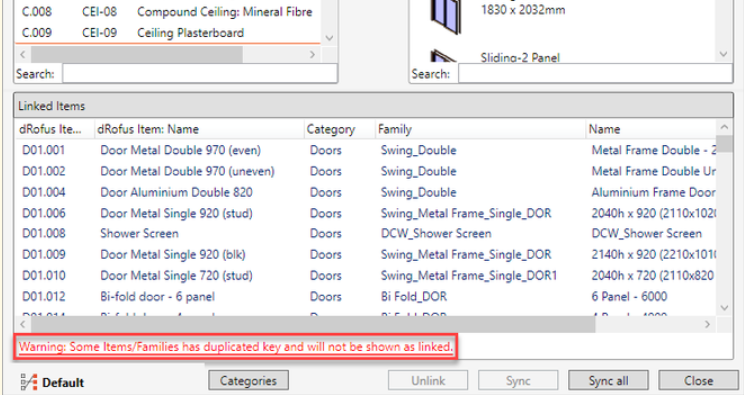
Message: “Warning: Some Items/families has duplicated key and will not be shown as linked”
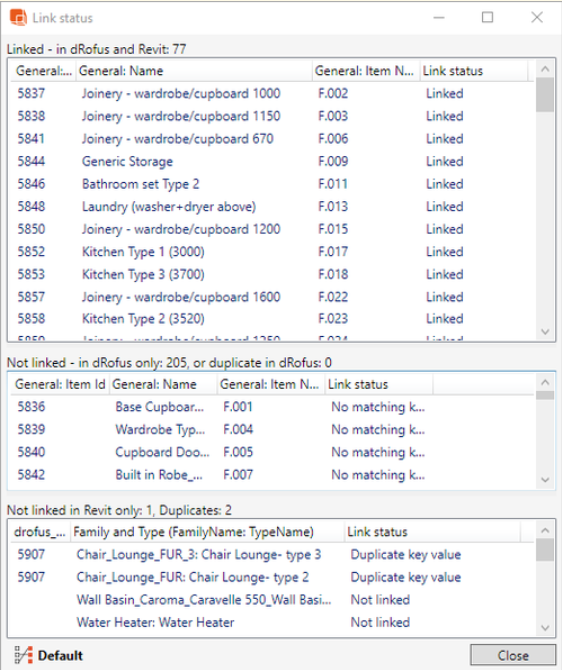
It is not possible to synchronize Family types where there are duplicate key attributes. It is recommended that these be audited prior to executing the synchronization process.
If at any stage there are duplicate key attribuetes, a message will be available as follows:
Click on the error to open “Link status” window: