.png)
-
Select order
-
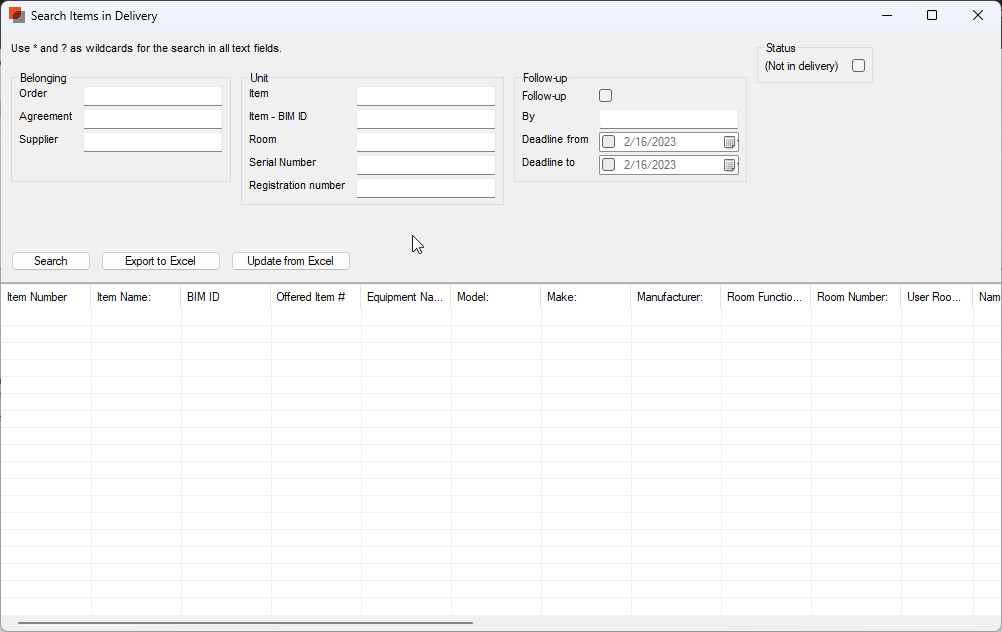
Select “Search Items in Delivery”
-
Select “Search”
-
Select “Export to Excel”
-
Use the Excel spreadsheet to update dRofus. This can be used for updating:
-
Equipment name
-
Model
-
Make
-
Registration number
-
Serial number
-
Bar code
-
Status
-
Comment
6. Save the updated Excel-fil
7. Select “Update from Excel”.
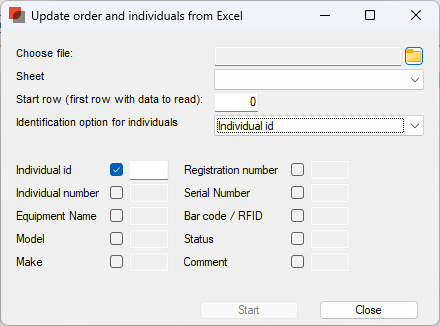
8. Select the file and fields you want to update,
9. Deactivate the fields you're not want to update.
As a link to the database you can either use Individual id or Individual number. Both numbers will be part of the export from dRofus.
10. Select “Start”
The Individuals are updated